Game AI from Scratch: Steering, Pathfinding and Behavior Trees in C++

Although I often use the game AI tools that come with commercial game engines, here I implement them from scratch: movement, pathfinding and decision making.
I used C++ and openFrameworks for technical implementation. openFrameworks is a concise framework for drawing shapes, but it does not include any other systems related to games. This gives me the chance to build the low-level systems myself, working like a game engine programmer.
The algorithms follow Ian Millington’s AI for Games [1]. Passages marked [1] below are quoted or adapted from the book, and the diagrams marked as such are redrawn from its figures; the implementation, the demos and the janitor-robot example are my own.
- Source code: YexiangZHOU/AIPractice on GitHub (Visual Studio project)
- Runnable demo: Windows x64 build (zip, 6.7 MB)
Physical Movement & Steering Behaviors
Rigidbody
I used the structure Rigidbody (Rigidbody.h / Rigidbody.cpp) to represent the state of the character in space. It contains the character’s position, orientation and linear and angular velocities. Furthermore, it can receive a KinematicSteeringOutput to change its linear and angular velocity directly, or a DynamicSteeringOutput to receive linear and angular acceleration and change its velocity smoothly over time.
Kinematic movement
We can create movement algorithms to calculate a target velocity based on position and orientation alone, allowing the output velocity to change instantly. However, if a character is moving in one direction and then instantly changes direction or speed, it may look odd. A worse case would be if the algorithm told the character to seek a position. And if the character is always moving at full speed, it’s likely to deviate from an exact position and swing back and forth in successive frames trying to reach that position. This characteristic oscillation looks unacceptable. [1]
We can use some kind of smoothing algorithm to improve it. Here, I created “Kinematic Arrive” (KinematicArrive.h / KinematicArrive.cpp) which slows the character down as it approaches the target and stops it inside a satisfaction radius.
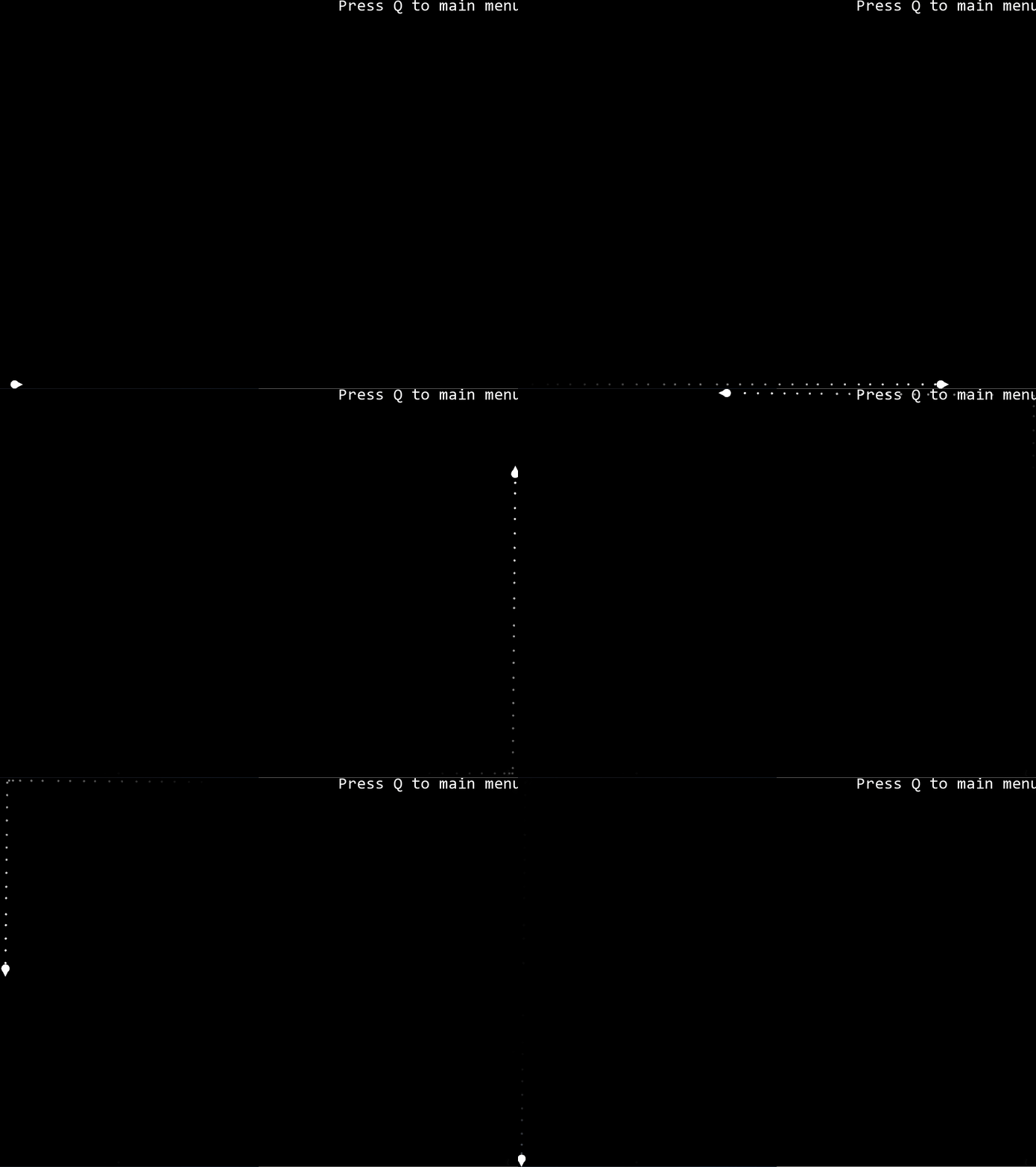
Dynamic movement
Dynamic steering behaviors change the character’s movement through acceleration. The result looks more natural, and for aircraft and vehicles in water it is necessary.
Dynamic Seek (DynamicSeek.h / DynamicSeek.cpp) is the most direct method: it keeps the character accelerating toward the target location. But it makes the character orbit the target a little and end up oscillating.
Dynamic Arrive (DynamicArrive.h / DynamicArrive.cpp) uses two radii: in addition to the satisfaction radius, to let the character end its movement, there is also a slowing radius. The algorithm calculates an ideal speed for the character. At the slowing-down radius, this is equal to its maximum speed. At the target point, it is zero (we want to have zero speed when we arrive). In between, the desired speed is an interpolated intermediate value controlled by the distance from the target. The algorithm looks at the current velocity of the character and works out the acceleration needed to turn it into the target velocity. We can’t immediately change velocity, however, so the acceleration is calculated based on reaching the target velocity in a fixed time scale. [1]
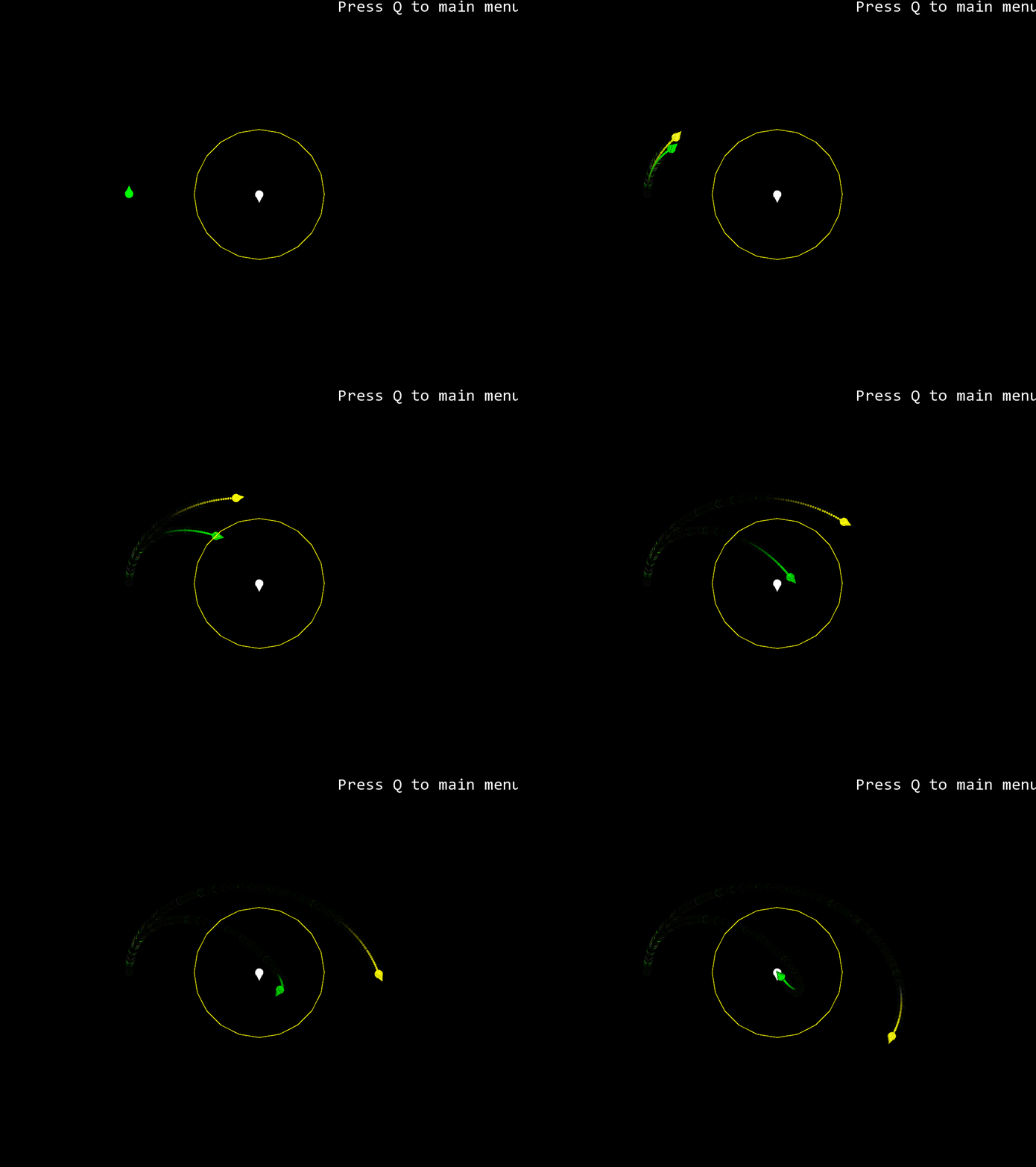
Dynamic Pursue
If we are chasing a moving target, then constantly moving toward its current position will not be sufficient. By the time we reach where it is now, it will have moved. This isn’t too much of a problem when the target is close and we are reconsidering its location every frame. We’ll get there eventually. But if the character is a long distance from its target, it will set off in a visibly wrong direction. [1]
Dynamic Pursue (DynamicPursue.h / DynamicPursue.cpp) works out the distance between character and target and works out how long it would take to get there, at maximum speed. It uses this time interval as its prediction lookahead. It calculates the position of the target if it continues to move with its current velocity. This new position is then used as the target of a standard seek behavior. If the character is moving slowly, or the target is a long way away, the prediction time could be very large. The target is less likely to follow the same path forever, so we’d like to set a limit on how far ahead we aim. The algorithm has a maximum time parameter for this reason. If the prediction time is beyond this, then the maximum time is used. [1]
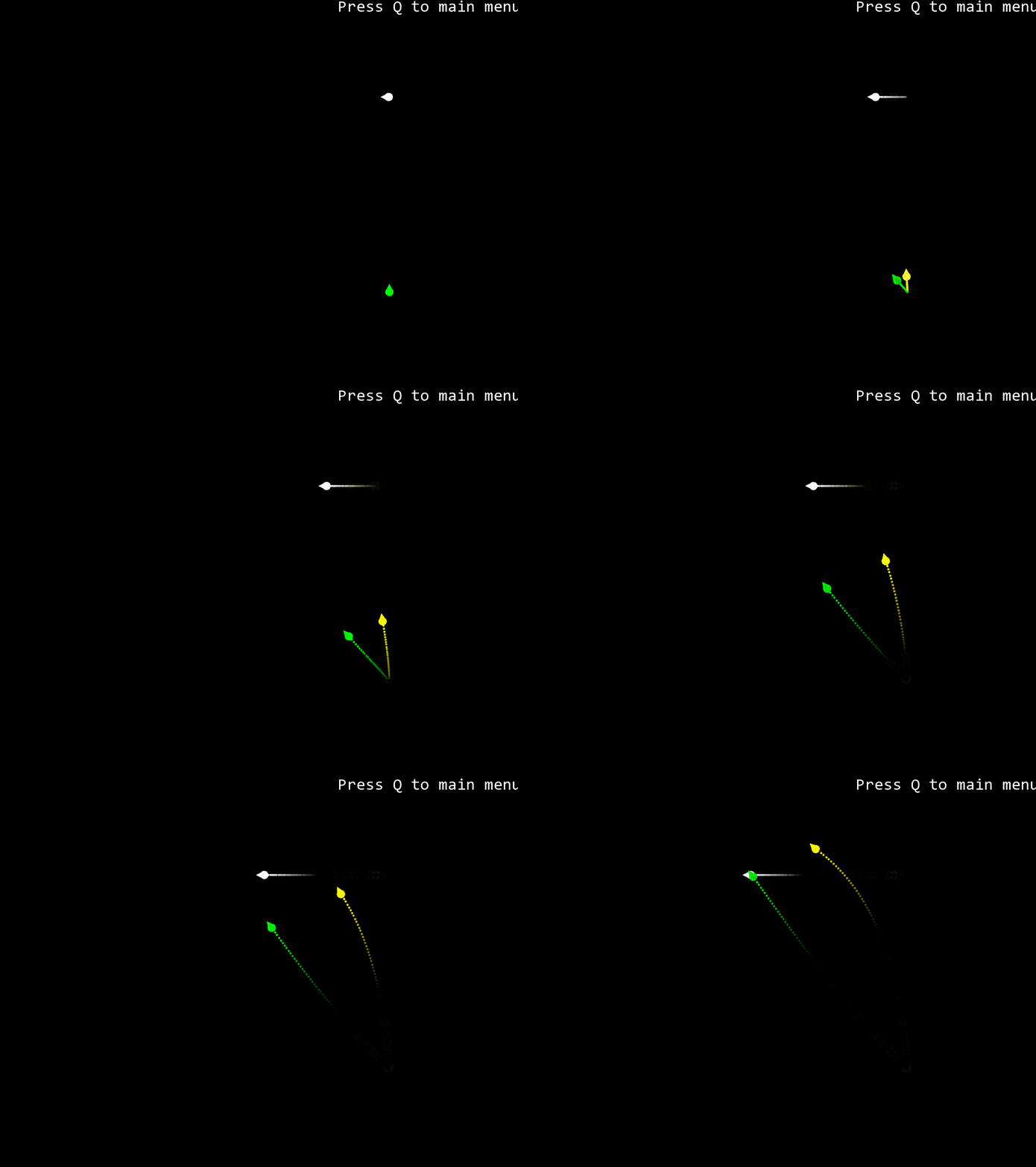
Dynamic Align / Face / Look Where You’re Going
The logic of these algorithms is the same as “Dynamic Arrive”, except that they provide angular acceleration, letting the character smoothly accelerate toward the orientation it should be facing. Dynamic Align (DynamicAlign.h / DynamicAlign.cpp) makes the character take the same orientation as the target; Dynamic Face (DynamicFace.h / DynamicFace.cpp) turns it toward the target’s position; Dynamic Look Where You’re Going (DynamicLookWhereYoureGoing.h / DynamicLookWhereYoureGoing.cpp) turns it toward its own linear velocity. Since they differ only in the goal orientation, I implemented them with polymorphism to share most of the code.
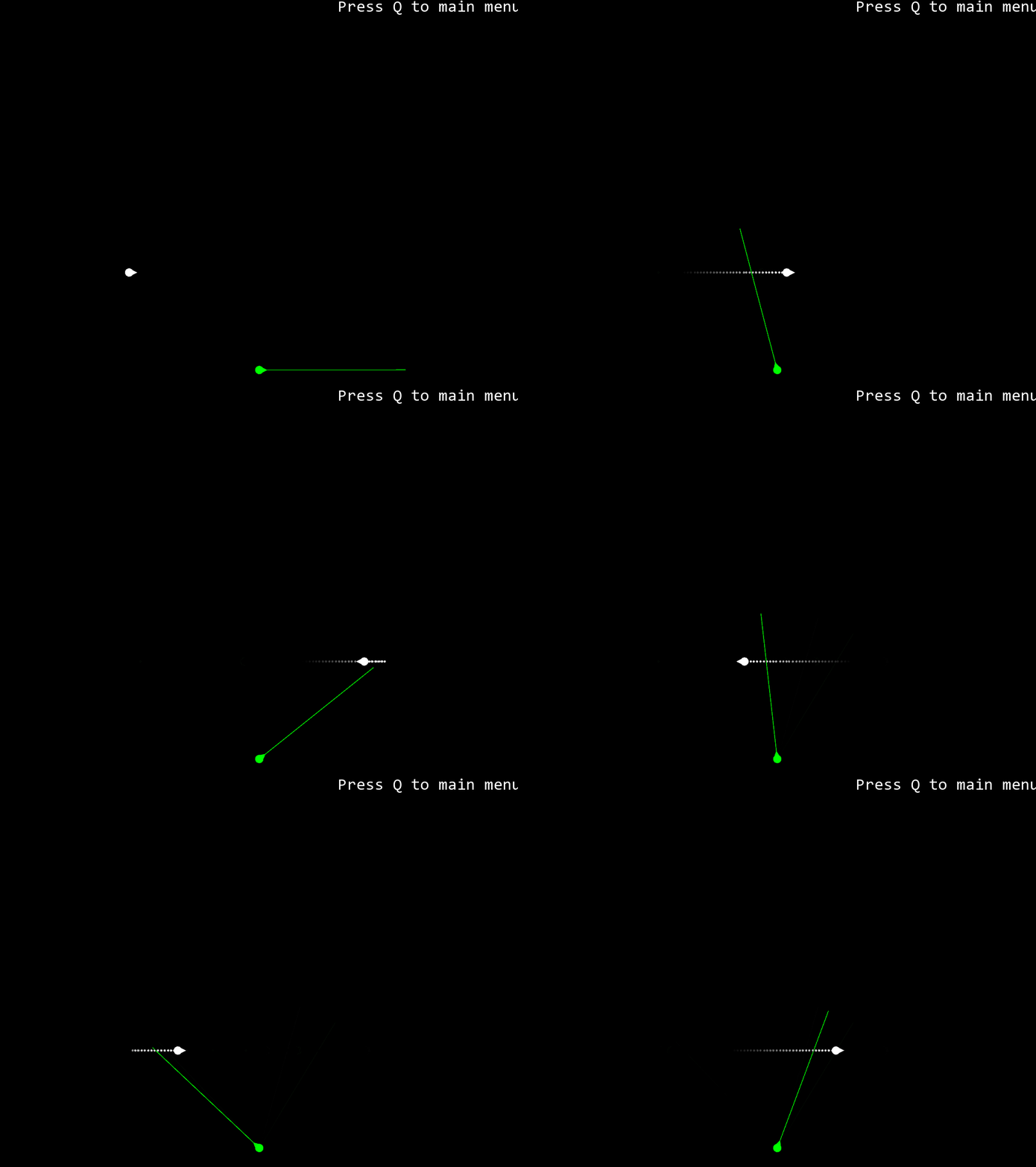
Dynamic Obstacle Avoidance
(DynamicObstacleAvoidance.h / DynamicObstacleAvoidance.cpp)
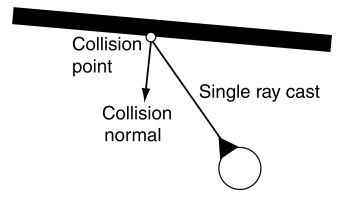
The moving character casts one or more rays out in the direction of its motion. If these rays collide with an obstacle, then a target is created that will avoid the collision, and the character does a basic seek on this target. Typically, the rays are not infinite. They extend a short distance ahead of the character (usually a distance corresponding to a few seconds of movement). The figure shows a character casting a single ray that collides with a wall. The point and normal of the collision with the wall are used to create a target location at a fixed distance from the surface. [1]
Dynamic Wander
(DynamicWander.h / DynamicWander.cpp)
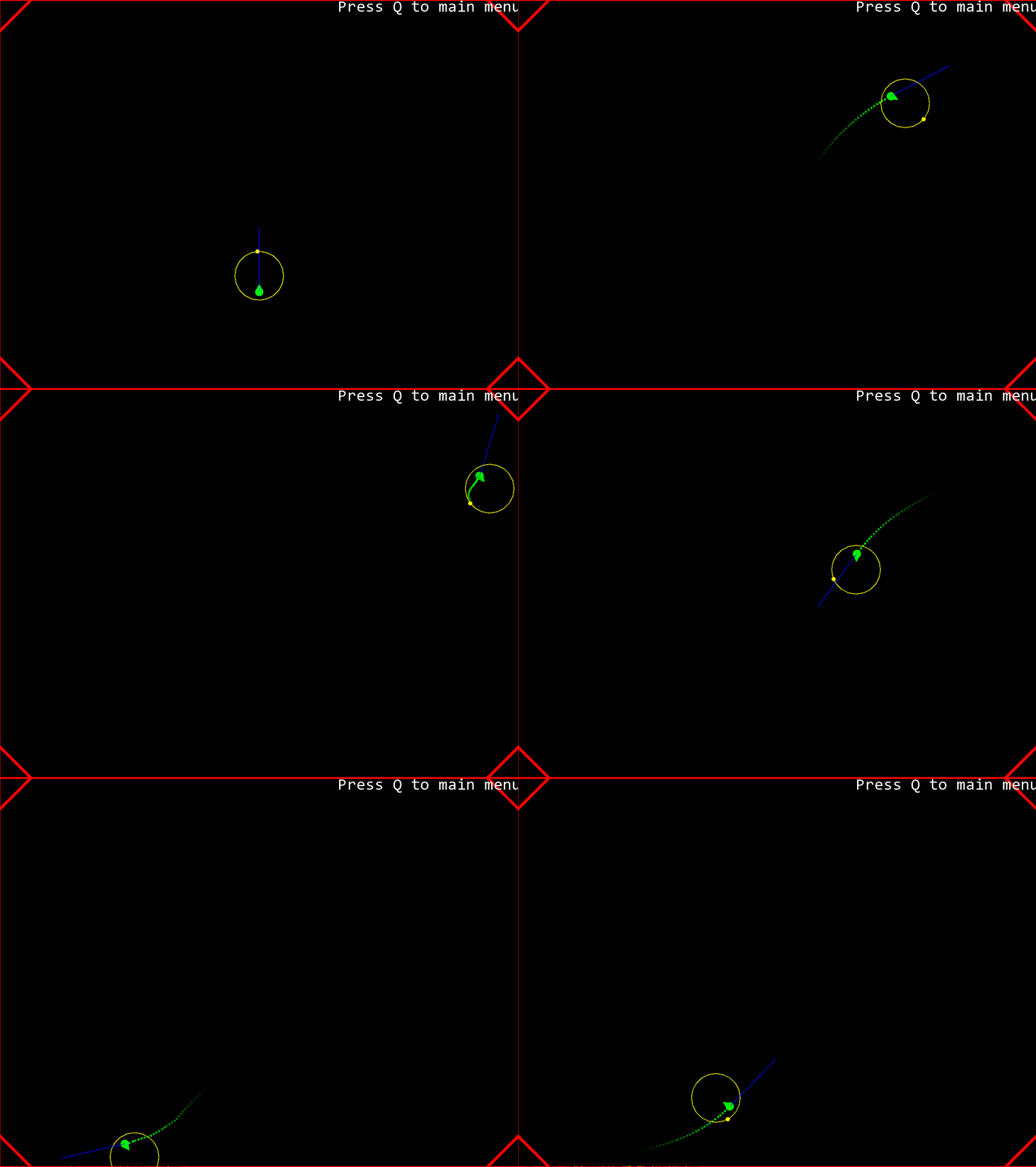
We can think of kinematic wander as behaving as a delegated seek behavior. There is a circle around the character on which the target is constrained. Each time the behavior is run, we move the target around the circle a little, by a random amount. The character then seeks the target. We can improve this by moving the circle around which the target is constrained: we move it out in front of the character (where front is determined by its current facing direction) and shrink it down. [1]
Dynamic Follow Path
(Path.h / Path.cpp, DynamicFollowPath.h / DynamicFollowPath.cpp)
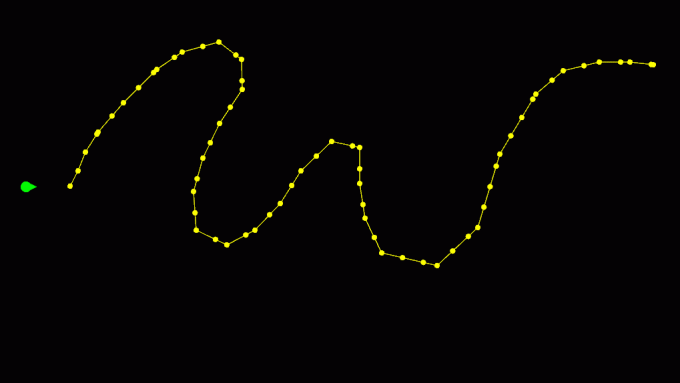
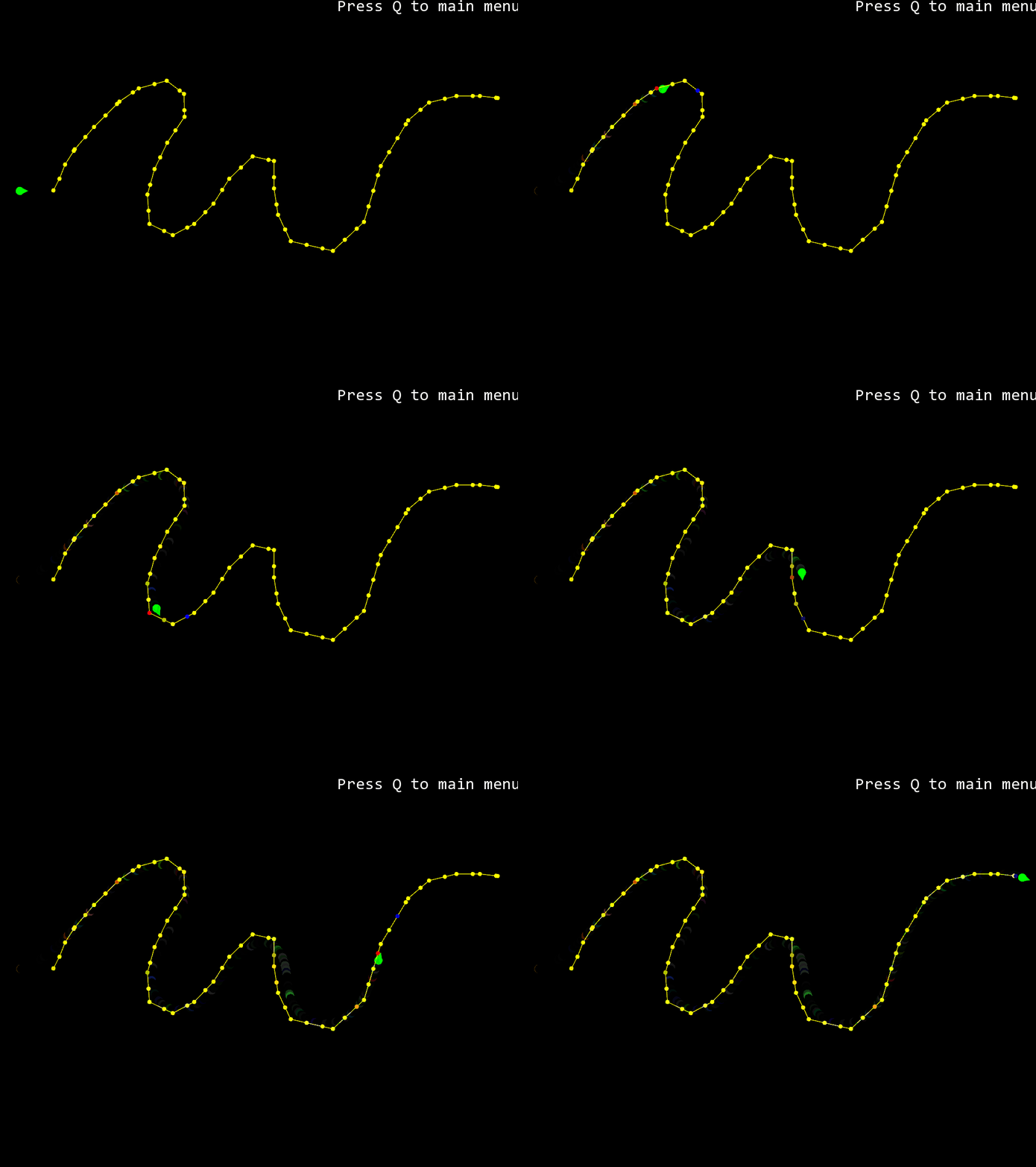
The basic idea of path following is to calculate the position of a target based on the current character location and the shape of the path. It then hands its target off to seek. The target position is calculated in two stages. First, the current character position is mapped to the nearest point along the path. Second, a target is selected which is further along the path than the mapped point by some distance. To change the direction of motion along the path, we can change the sign of this distance. [1]
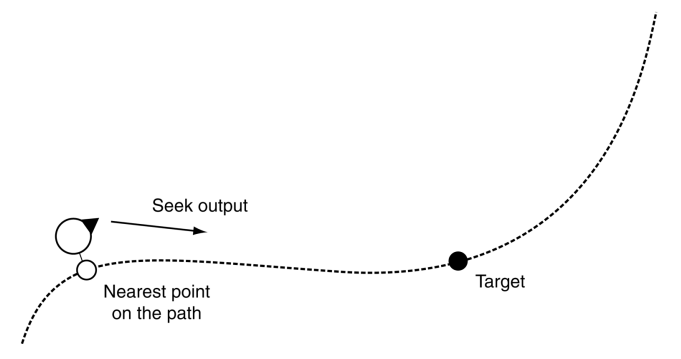
I treat the path as discrete points when looking for the nearest one. That raises a problem: where the path passes close to itself, the nearest point is ambiguous. So I limit the search to the part of the path near the previous parameter value. The character is unlikely to have moved far, after all. This technique, assuming the new value is close to the old one, is called coherence, and it is a feature of many geometric algorithms. [1]
Dynamic Separation
(DynamicSeparation.h / DynamicSeparation.cpp)
The separation behavior is common in crowd simulations, where a number of characters are all heading in roughly the same direction. It acts to keep the characters from getting too close and being crowded. Most of the time, the separation behavior has a zero output; it doesn’t recommend any movement at all. If the behavior detects another character closer than some threshold, it acts in a way similar to an evade behavior to move away from the character. Unlike the basic evade behavior, however, the strength of the movement is related to the distance from the target. The separation strength can decrease according to any formula, but a linear or an inverse square law decay is common. [1]
Dynamic Velocity Match
(DynamicVelocityMatch.h / DynamicVelocityMatch.cpp)
The logic of “Dynamic Velocity Match” is the same as “Dynamic Align”; it makes the character reach the same linear velocity as the target character.
Dynamic Flocking
(DynamicFlocking.h / DynamicFlocking.cpp)
Dynamic Flocking is based on movement patterns of flocks of simulated birds. It relies on weighted blending of four simple steering behaviors: move away from boids that are too close (separation), move in the same direction and at the same velocity as the flock (alignment and velocity matching), and move toward the center of mass of the flock (cohesion). The cohesion steering behavior calculates its target by working out the center of mass of the flock. It then hands off this target to a regular arrive behavior. [1]
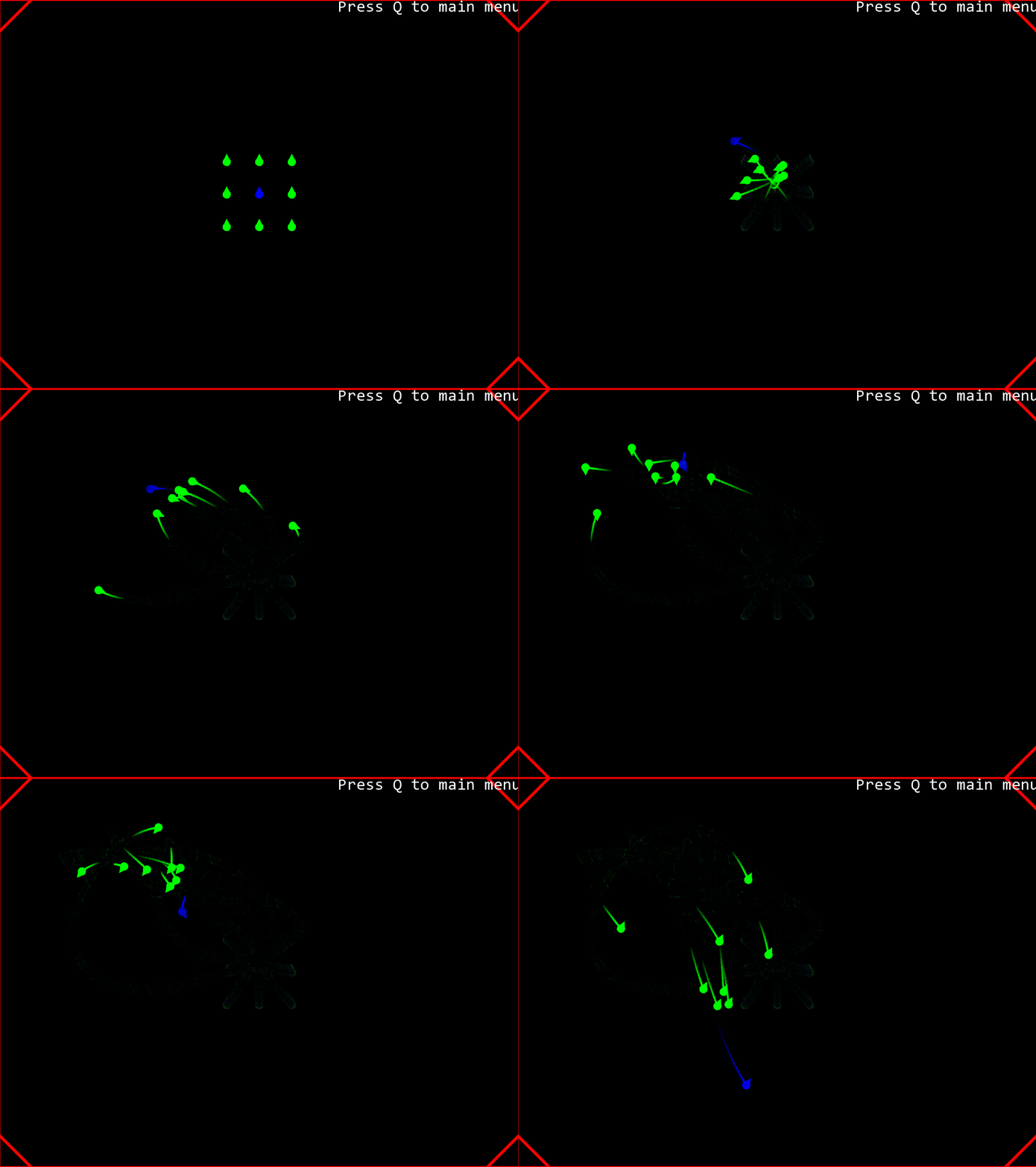
In the demo below, the blue boid is a leader running Dynamic Wander. Its mass is large, so it pulls the flock’s center of mass along with it; the remaining boids run Dynamic Flocking.
Pathfinding
Directed weighted graphs
For many situations, a weighted graph is sufficient to represent a game level. Directed graphs assume that connections are in one direction only. If you can get from node A to node B, and vice versa, then there will be two connections in the graph: one for A to B and one for B to A. This is useful in many situations. It is not always the case that the ability to move from A to B implies that B is reachable from A. Having two connections in different directions means that there can be two different costs. [1]
I use these to build a basic directed weighted graph: Graph.h / Graph.cpp, Node.h / Node.cpp.
Tile graphs
There are many ways to convert the space in the game world into a directed weighted graph. For example, navigation meshes (not covered in this exercise) and tile graphs. Nodes in the pathfinder’s graph represent tiles in the game world. Each tile in the game world normally has an obvious set of neighbors (the eight surrounding tiles in a rectangular grid, for example, or the six in a hexagonal grid). The connections between nodes correspond to a link between a tile and its immediate neighbors. Tile-based graphs are generated automatically. In fact, because they are so regular (always having the same possible connections and being simple to quantize), they can be generated at runtime. An implementation of a tile-based graph doesn’t need to store the connections for each node in advance. [1]
I use these to build the tile graph for the demo: TileGraph.h / TileGraph.cpp, TileNode.h / TileNode.cpp.
Dijkstra’s pathfinding
Dijkstra’s algorithm is a pathfinding algorithm based on breadth-first search and a greedy strategy. It has been around for a long time and is well documented (for example on Wikipedia). In short, it explores outward and greedily follows low-cost paths, keeping the cost of visited nodes in two lists.
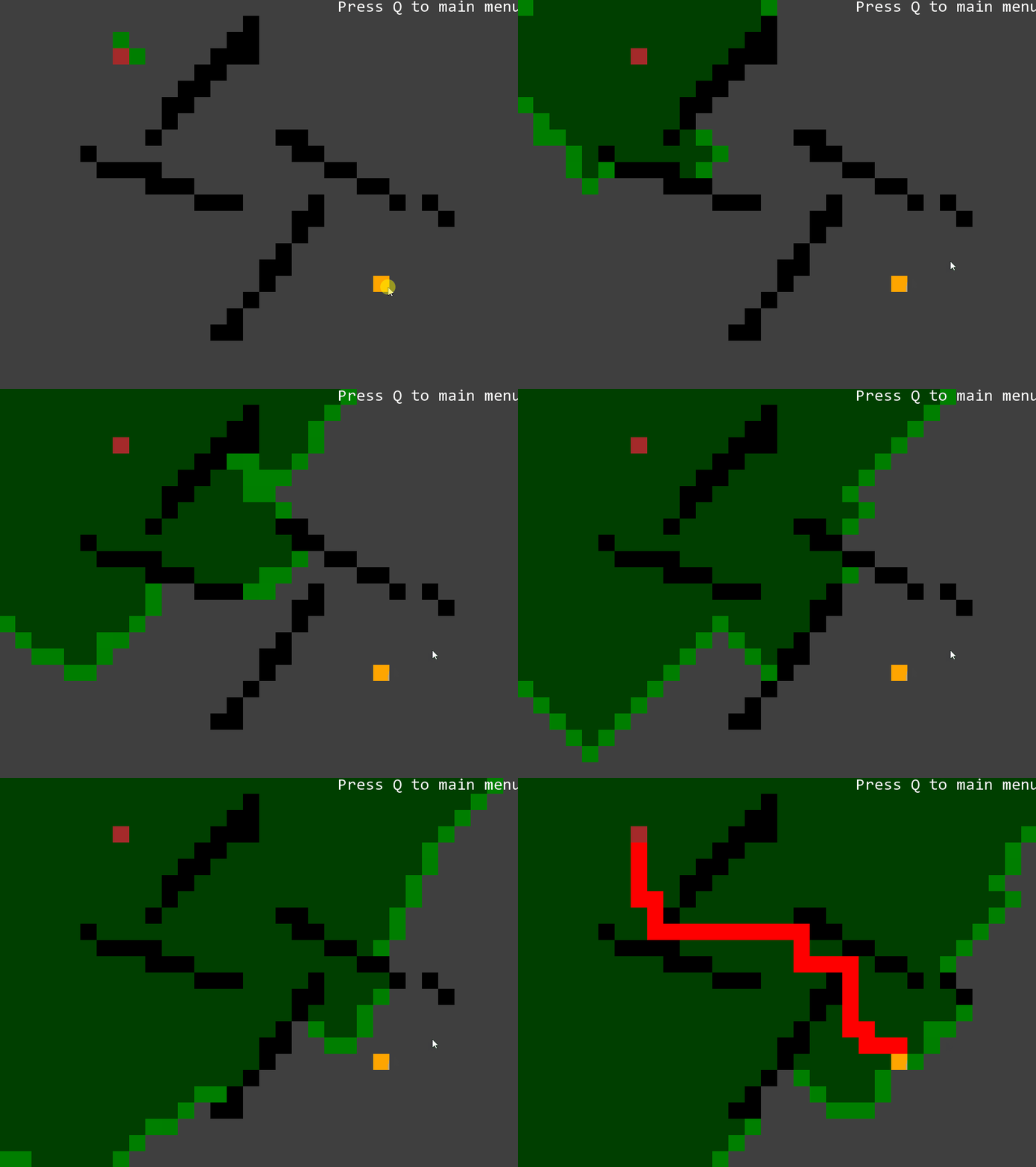
The demo runs the search on a separate thread with a sleep between steps, so it can be watched expanding.
A* pathfinding
A* works like Dijkstra, but when choosing which node to expand next it considers not only the cost so far but also an estimated cost to go from that node, computed by a heuristic.
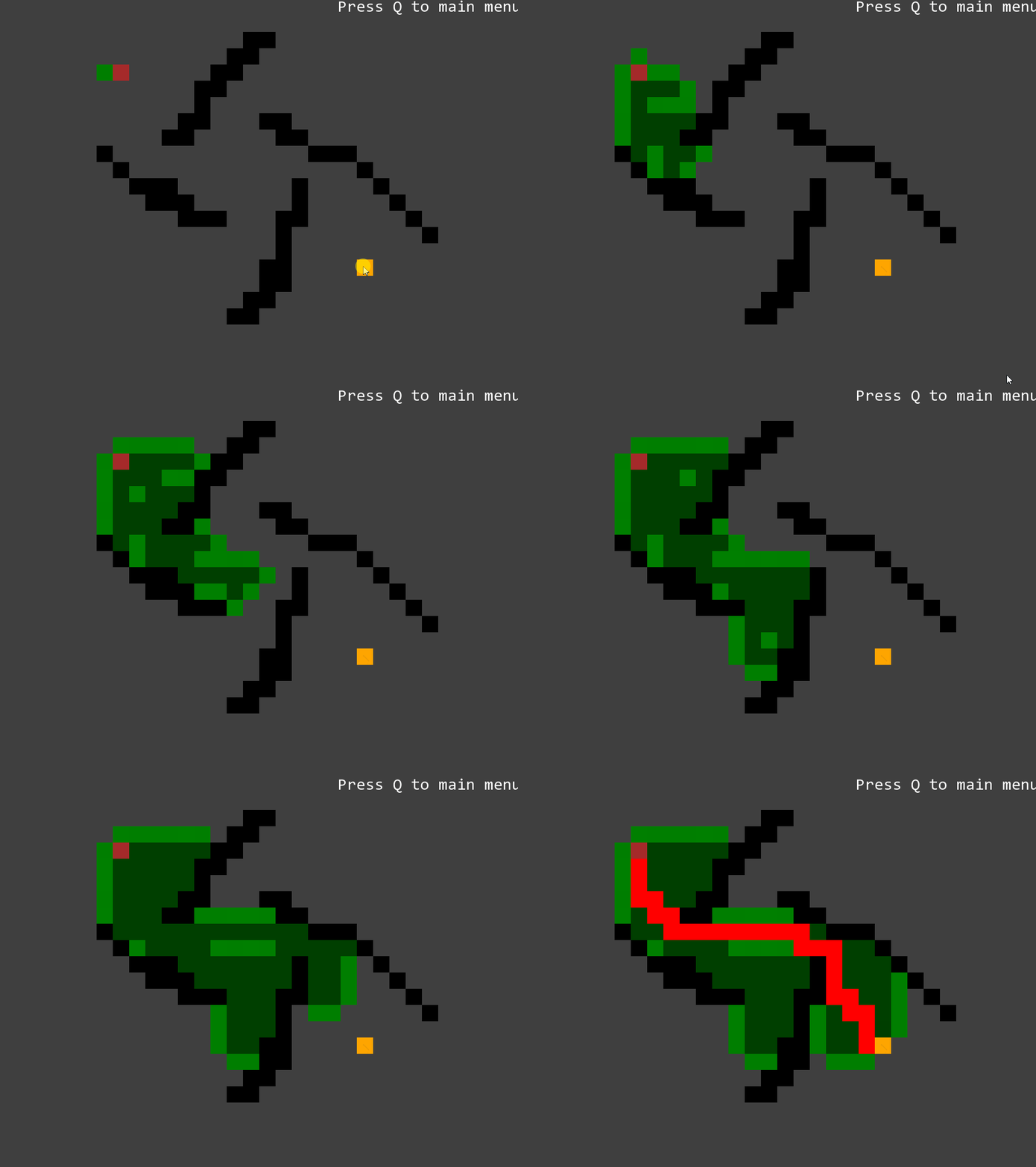
Here I used Manhattan distance as the heuristic; the demo shows A* searching a smaller area and finishing sooner.
Decision Making: Behavior Tree
Behavior trees present some similarities to hierarchical state machines with the key difference that the main building block of a behavior is a task rather than a state. Tasks are composed into sub-trees to represent more complex actions. In turn, these complex actions can again be composed into higher level behaviors. It is this composability that gives behavior trees their power. Because all tasks have a common interface and are largely self-contained, they can be easily built up into hierarchies (i.e., behavior trees) without having to worry about the details of how each sub-task in the hierarchy is implemented. [1]
Task
Tasks in a behavior tree all have the same basic structure. They are given some CPU time to do their thing, and when they are ready, they return with a status code indicating either success or failure (a Boolean value would suffice at this stage). [1]
Concurrency and termination
In real games, tasks need to be concurrent and terminable: a character has to keep observing its environment while performing a behavior, and abandon the behavior when the environment changes. Modern game engines provide job systems for this.
Here I use plain multithreading. When a task is terminated its children must be terminated too, so every task type has its own termination function.
Behavior Tree
(BehaviorTree.h / BehaviorTree.cpp)
The behavior tree class contains a blackboard (which I’ll mention below), a root task as an entry point, and references to all the tasks. When the entire tree returns, it re-executes the root task and loops.
When it is cleaned up, it terminates and cleans up all tasks first, making sure that all resources are properly freed and all threads are properly exited.
Common control-flow tasks
Selector (Selector.h / Selector.cpp)
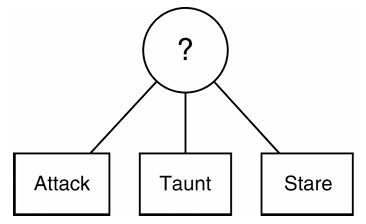
The selector runs each of its child behaviors in turn. It will return immediately with a success status code when one of its children runs successfully. As long as its children are failing, it will keep on trying. If it runs out of children completely, it will return a failure status code. [1]
Sequence (Sequence.h / Sequence.cpp)
The sequence runs each of its child behaviors in turn. It will return immediately with a failure status code when one of its children fails. As long as its children are succeeding, it will keep going. If it runs out of children, it will return with success. [1]
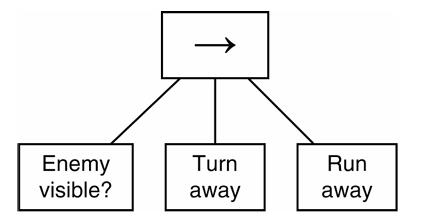
Parallel (Parallel.h / Parallel.cpp)
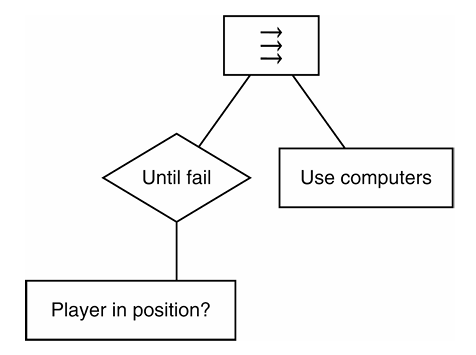
The Parallel task acts in a similar way to the Sequence task. It has a set of child tasks, and it runs them until one of them fails. At that point, the Parallel task as a whole fails. If all of the child tasks complete successfully, the Parallel task returns with success. In this way, it is identical to the Sequence task and its non-deterministic variations. [1]
The difference is the way it runs those tasks. Rather than running them one at a time, it runs them all simultaneously. We can think of it as creating a bunch of new threads, one per child, and setting the child tasks off together. [1]
When one of the child tasks ends in failure, Parallel will terminate all of the other child threads that are still running. Just unilaterally terminating the threads could cause problems, leaving the game inconsistent or failing to free resources (such as acquired semaphores). The termination procedure is usually implemented as a request rather than a direct termination of the thread. In order for this to work, all the tasks in the behavior tree also need to be able to receive a termination request and clean up after themselves accordingly. [1]
Decorator
In the context of a behavior tree, a Decorator is a type of task that has one single child task and modifies its behavior in some way. You could think of it like a Composite task with a single child. [1]
Here are some useful decorators:
- Until fail (UntilFail.h / UntilFail.cpp): keeps running a task until it fails.
- Inverter (Inverter.h / Inverter.cpp): modifies the status code of the child by reversing it.
- Wait (Wait.h / Wait.cpp): a very common and useful task. For example, we may need a character to wait a moment between actions. We can implement it by simply putting the current thread to sleep for a while.
Blackboard
(Blackboard.h / Blackboard.cpp)
Blackboard architecture is a software design pattern that is used to create flexible and scalable applications. Blackboard architecture is based on the principle of separating data from algorithms. This separation allows for different algorithms to be applied to the same data, which makes the application more flexible. The complete blackboard system for games has a set of different decision-making tools (called experts in blackboard-speak), a blackboard, and an arbiter. [1]
My simplified blackboard serves only the behavior tree: it holds data of several types for exchange with other gameplay systems. Each item is either atomic or guarded by its own mutex, which makes it thread-safe. The class linked above is just a small base class to inherit from; the example below shows how it is used.
Example: A Janitor Robot Driven by a Behavior Tree
Game mechanics
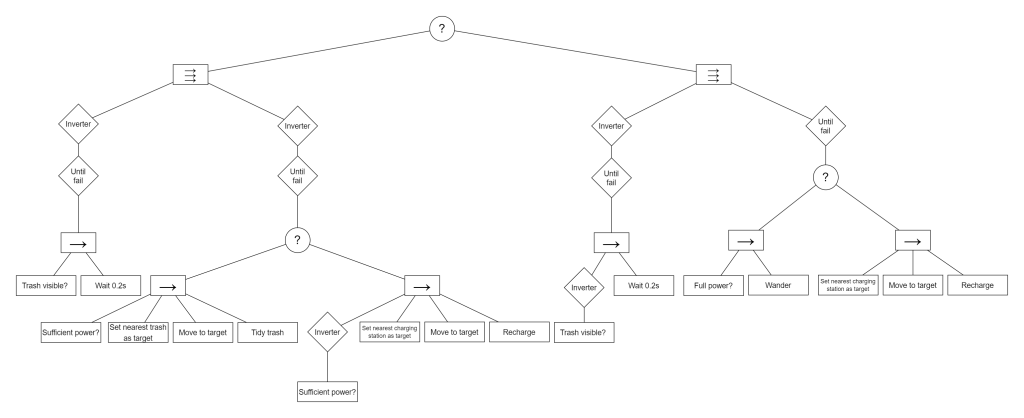
The demo character is a janitor robot. While there is trash in the room, it goes to the nearest piece and cleans it up; each cleaning costs one unit of power. When its remaining power is not enough for the trash that is left, it goes to the nearest charging station, charges until it has enough, and returns to cleaning. When there is no trash, it charges to full at the nearest station, and once full it wanders around the room.
Behavior tree design
(BehaviorTreeJR.h / BehaviorTreeJR.cpp)
The root is a selector over two parallel branches, one for cleaning and one for charging and wandering. Each branch keeps a condition check running alongside the action, so the robot re-evaluates its situation continuously rather than only between actions.
Blackboard design
(BlackboardJR.h / BlackboardJR.cpp)
The blackboard holds the interactive objects (trash and charging stations) and the information the tasks need: the character’s rigidbody, its power, notifications and so on. It also holds the GetSteering functions, wrapped in std::function. When the character needs steering output during its update, it simply calls these functions; it never owns steering behavior objects, which exist only inside tasks.
The blackboard also provides accessor functions for its data, so callers never deal with mutexes and locks directly.
Custom tasks
Detect Trash, Detect Sufficient Power, Detect Full Power (DetectTrash.h / DetectTrash.cpp, DetectSufficientPower.h / DetectSufficientPower.cpp, DetectFullPower.h)
These tasks sense the environment: they check the blackboard and return a status code right away. To keep them fast I had to make sure they never block, for example by using try_lock() instead of lock() on the mutexes.
Set Nearest Trash As Target, Set Nearest Charging Station As Target (SetNearestTrashAsTarget.h / SetNearestTrashAsTarget.cpp, SetNearestChargingStationAsTarget.h / SetNearestChargingStationAsTarget.cpp)
These are just as quick: they read and modify the blackboard, for example by finding the nearest piece of trash and pointing the target at it.
Move to target (MoveToTarget.h / MoveToTarget.cpp)
It owns two steering behaviors, Dynamic Arrive and Kinematic Stop. When the task starts, it issues new requests to them using the character and target rigidbodies from the blackboard, and registers its GetSteering function on the blackboard for the main game loop to call. It then polls in a loop until the current behavior completes, running the behaviors one after another. It returns true when all of them have completed, and false if it is terminated from outside.
Tidy Trash, Recharge (TidyTrash.h / TidyTrash.cpp, Recharge.h / Recharge.cpp)
These tasks simulate the character interacting with an object. I use sleep() to represent the time the interaction takes, split into short slices by a for loop so that the task can be terminated at any moment (the same idea as the Wait task). When the delay is over they update the blackboard and return true.
References
[1] Ian Millington, AI for Games, 3rd edition. CRC Press, 2019. Chapter 3 “Movement”, chapter 4 “Pathfinding” and chapter 5 “Decision Making”.